AI Tools for Architects: Site Sketch to Client Presentation.
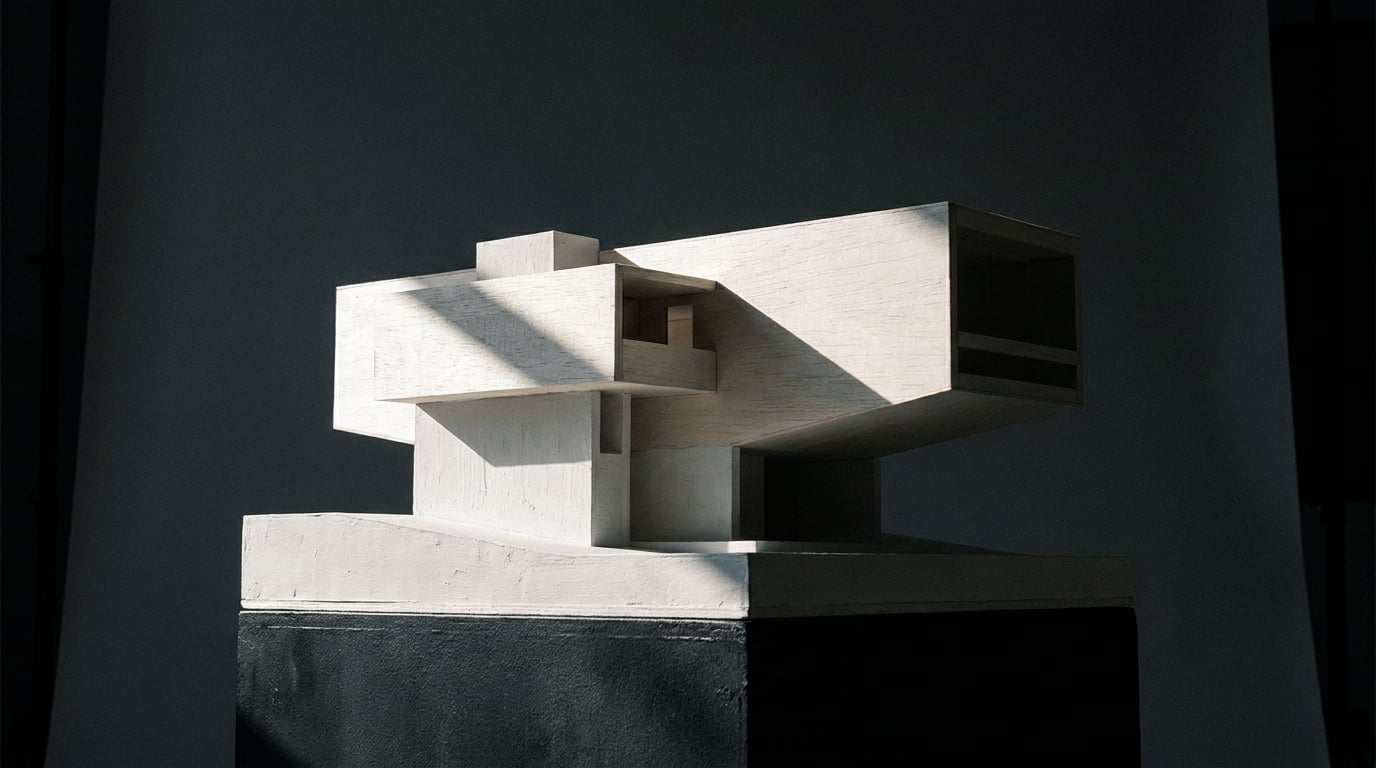
From rough site sketches to polished client decks, here is how architects are using Stensyl across every stage of a project.
Where Architects Actually Lose Time (And Where AI Helps)

The architectural workflow has never been linear. From first site visit to final client presentation, a small practice moves through research, concept sketching, design development, visualisation, and documentation — each stage with its own friction, its own tools, and its own risk of losing work between the cracks.
For solo practitioners and small studio teams, the friction is rarely creative. It is logistical. Time disappears into three particular traps.
The first is site and planning research: collating local planning policy, climate data, heritage constraints, and material precedents from sources that were never designed to talk to each other. The second is early massing and feasibility: generating enough options quickly enough to test before a client meeting, without a dedicated visualiser on the team. The third is the multi-tool problem: by 2026, a typical small studio runs separate subscriptions for an LLM (ChatGPT or Claude for research and document drafting), one or more image tools (Midjourney, Firefly, or Veras), and a video tool (Runway or Luma) alongside BIM and CAD. Design intent lives in chat threads. Visuals live in separate accounts. Documents live somewhere else entirely. Version control becomes a project in itself.
Architecture-focused roundups consistently list a mix of general-purpose AI tools alongside domain-specific ones, suggesting that most practices stitch together three to six separate AI subscriptions rather than a single platform. The cost adds up — a ChatGPT or Claude subscription runs roughly £20–25 per month, a professional image tool like Veras or Midjourney adds another £10–60, and a video tool such as Runway Pro adds £25–35 or more — but the real cost is the context-switching and duplication.
This article covers how a solo architect or small team can move from site sketch to client-ready presentation using Stensyl's surfaces, keeping research, visuals, writing, and video inside a single project rather than spread across five accounts. It is not about enterprise BIM pipelines. It is about the work that happens before — and around — BIM.
For small practices, the biggest AI productivity gain is not any single tool. It is eliminating the friction between tools at every stage transition.
Site Research and Planning Context Without the Tab Sprawl

Planning research is where projects get bogged down fastest. Cross-referencing flood-zone designations, local character appraisals, vernacular material palettes, and heritage constraints across separate PDF downloads and council websites is slow work, and the output — if it exists at all — is usually a pile of browser bookmarks and highlighted PDFs that only one person on the team can navigate.
Stensyl's Research surface (/research), backed by Perplexity, lets architects pull planning policy summaries, site history, material context, and precedent references into a structured, citable format. A query about flood-zone restrictions and vernacular brick types for a specific rural county can return sourced results in a form that is immediately usable in a design rationale, rather than requiring a second pass to strip the relevant facts from a raw browser search.
The practical sequence looks like this: run a Research session that captures the key planning constraints and material context for the site, then open a Write document (/write) and feed those findings directly into a design rationale or design-and-access statement. Because both surfaces live inside the same Project (/projects), every team member sees the same research context. There is no version where one person has an older planning note and another has a newer one.
Ray (/ray) is useful at this stage in a different way. Rather than functioning as a search tool, Ray acts as a creative director: you can prompt it with a project brief and site constraints and it will suggest design directions, flag relevant precedents, and recommend which generation surfaces suit the output you need next. Asking Ray "we have a flood-zone site in a brick vernacular conservation area — what direction should we develop for the concept stage?" produces a directed response that orients the next stage of work rather than simply retrieving information.
The Write studio supports six models via a model picker. Claude Opus 4.8 handles nuanced design rationale and heritage context well — its 200k-token context window means a long planning pack or heritage statement can be processed without truncation. Gemini Pro is strong for structured technical documents where consistent formatting matters more than interpretive depth. For a planning statement, Claude Opus 4.8 is the right choice. For a structured schedule of accommodation or a technical specification, Gemini Pro keeps the output clean and consistent.
Keeping research, rationale, and generation outputs inside one Project means the whole team operates from the same context — not from whoever last updated the shared drive.
Concept Visualisation: From Sketch Logic to Rendered Images

Most small practices hit the same wall at the concept stage: they have a design direction in their heads and a sketch on paper, but nothing polished enough to put in front of a client, and no dedicated visualiser to close that gap. AI image generation has become the standard bridge — Midjourney, Firefly, and Veras are all cited regularly in architecture press for this purpose — but running them as separate tools means the references you collected on one platform do not automatically inform the generation you are doing on another.
Stensyl's Image surface (/generate/image) gives access to more than 20 models. For early massing studies, looser, faster models suit quick iteration where you need volume over fidelity. As the concept tightens and client presentation approaches, higher-fidelity options let you push material quality and lighting. The distinction matters practically: burning credits on a photorealistic render during a feasibility round is wasteful; using a fast model for a client-ready deliverable underserves the project.
Boards (/boards) is the right place to collect and organise this material. Drag in facade reference images, landscape treatment photos, and precedent schemes, then group them alongside the generated frames as the concept develops. Boards also supports first-frame and last-frame video generation, so a still image of the best massing option can be animated into a short walkthrough sequence without leaving the surface. Product designers use Boards in exactly the same way for CMF references and form-language iterations; the logic transfers directly to architectural concept development.
Once a strong massing direction has emerged from image generation, Scene Composer (/studio/compose, desktop-only) allows architects to pose 3D models with gizmos, use 3D Worlds as backdrops, and render to a photorealistic image. This is where massing relationships and material combinations get tested before committing to a full visualisation. A building volume positioned against a reconstructed site backdrop gives a more honest read of scale and context than a standalone render — and it takes minutes rather than a modelling session.
The 3D surface (/studio) supports model generation and retexturing, giving solo practices a route to quick volumetric studies without specialist 3D software. For entourage — furniture, vehicles, landscape elements — this is particularly practical; game designers and set designers use it for the same purpose when assembling environment assets at speed.
A repeatable concept-stage workflow runs like this:
- Drop a sketch-level prompt into the Image surface to generate four or five massing options quickly.
- Move the strongest result into Scene Composer to test it against a site backdrop from the 3D Worlds library.
- Bring the site-tested render and the rejected alternatives into Boards to compare directions side by side, alongside the reference material from the Research stage.
- Use Luma Ray 3.2 via the Video surface or Boards first/last-frame tool to animate the chosen direction into a short ambient loop for the first client meeting.
Running concept generation and reference collection in the same platform means the design rationale you write later reflects the images you actually made — not a separate set of visuals nobody can find.
Building the Narrative: Design Statements and Project Documents
A strong set of concept images is only half the client deliverable. The written narrative — design statement, planning rationale, heritage justification, design-and-access document — is where many small practices lose hours, particularly when the person writing the document is working from a different set of files than the person who did the research.
In Stensyl, the Write studio (/write) connects directly to the project context already built in Research. A design statement written here can pull from the planning notes and material references gathered in the Research stage, keeping the language consistent with the actual site findings rather than defaulting to generic placeholder text about "responding to the local vernacular." That phrase belongs to every architectural statement ever written. A statement grounded in specific local brick bond types and conservation area character appraisals belongs to this project.
The model picker in Write allows architects to select the right tool for each document type:
| Document Type | Recommended Model | Reason |
|---|---|---|
| Design rationale / heritage statement | Claude Opus 4.8 | Handles nuanced interpretive language and long context well |
| Planning statement (structured) | Claude Sonnet 4.6 | Fast, clear, consistent — good for policy-mapped documents |
| Technical schedule / specification | Gemini Pro | Strong on structured formatting and consistent outputs |
| Client summary / project narrative | GPT-5.5 | Fluent, readable prose suited to non-technical audiences |
For practices that need to produce multiple document variants from one base brief — planning submission version, client summary version, competition entry version — Canvas (/canvas) with the LLM Chat node allows multi-model document generation piped into other nodes. Set up a Canvas workflow where the base brief and research outputs feed into three parallel LLM Chat nodes, each configured for a different output format, and produce all three variants in one batch rather than three separate Write sessions.
The Graphics studio (/graphics) handles vector and graphic design generation for site plans, diagram overlays, and presentation layouts. An annotated section diagram generated in Graphics, paired with a structural rationale written in Write using Claude Sonnet 4.6, assembled inside a Project that every team member can access — this is the practical alternative to a folder of InDesign files, separate PDFs, and a Dropbox link that expires.
Writing the design statement from the same research session that informed the concept images produces documents that read as a coherent argument rather than a post-hoc justification assembled from separate sources.
Client-Ready Presentations: Video, Motion, and Polished Deliverables
The gap between a strong set of rendered images and a client presentation that actually lands is often a matter of sequencing and motion. A static render deck is a collection of moments. A presentation with ambient video, transitions, and narration is a narrative. For small practices without a dedicated animator or editor, that gap has historically required either expensive outsourcing or an uncomfortable evening with video software.
Stensyl's Film studio (/film) supports multi-scene cinematic video, allowing architects to sequence flythrough frames, interior walkthroughs, and landscape shots into a single client presentation video. Rather than assembling a rough cut in an external editing tool, the Film studio treats each scene as a distinct unit that can be ordered, timed, and outputted as a coherent sequence. Film and set designers use this surface for previz sequences; the same logic applies to an architectural walkthrough that needs to move from entrance sequence to interior to roof terrace in one flowing presentation.
The Video surface (/generate/video) with Luma Ray 3.2 — which supports start and end keyframes, five or ten second clips, and looping — is practical for animating a single rendered view into a short ambient loop. A still render of the main elevation becomes a five-second loop with gentle light change and cloud movement: enough motion to animate a pitch deck or project website without the overhead of a full animation.
The Motion studio (/motion, Remotion-based) handles motion graphics export for title cards, section transitions, and branded lower-thirds. For a presentation video that opens with the project name and location, cuts to the site analysis, and closes with the design proposal, Motion provides the graphic layer that separates a professional deliverable from a screen recording with no titles.
Editing (/editing, desktop-only) brings the timeline together: captions via Whisper speech-to-text (including karaoke mode baked into the final MP4), image inpainting to refine renders, background removal for cutout elevations or section drawings, and final MP4 export. A narrated walkthrough with captions and clean elevation cutouts can be produced and exported entirely within the platform.
Avatar (/avatar), backed by HeyGen digital twins, gives architects the option to record a narrated project walkthrough as a talking-head video. When a client cannot attend a live presentation — which is the practical reality for most remote or international commissions — a short Avatar video that walks through the key design moves gives the presentation an authored voice rather than a slide deck sent into silence.
Moving from rendered images to a sequenced, narrated, captioned client presentation video without leaving Stensyl is the point where the multi-tool problem becomes most visible — and most worth solving.
Structuring a Repeatable Project Workflow in Stensyl
The surfaces above are most useful when they are organised around a project rather than used in isolation. The practical structure is straightforward.
Create one Project per commission (/projects). Store the brief, research outputs, image generations, written documents, and video exports together. When a team member joins mid-project or when a client requests a revision three months later, the context is intact. There is no archaeology through email threads or Slack history to reconstruct what the design rationale was actually based on.
Plan credit use across the project timeline. Research and Write tasks are lighter on credits than high-fidelity image and video generation. Knowing this helps practices allocate their generation budget to the stages where visual quality matters most, which is typically client-facing deliverables rather than internal feasibility studies. A massing study run at lower fidelity costs less and takes less time; a client presentation render warrants the higher-fidelity model. The credit system makes this trade-off explicit and plannable rather than hidden in a monthly subscription that bills regardless of use.
Stensyl's free tier provides 150 one-time credits with no card required — enough to run a research-to-image pipeline on a live brief and form a genuine view of whether the workflow suits the practice before committing to a paid plan. The Starter plan at £22 per month (2,500 credits) suits most solo practitioners running two or three active projects. For context: a ChatGPT or Claude subscription runs roughly £20–25 per month, a professional image tool adds another £10–60, and a video tool adds £25–35 or more — three separate billing relationships for a workflow that Starter consolidates into one.
Use Ray (/ray) as a workflow check at each project stage. Before moving from research to concept generation, a quick conversation with Ray confirms which surface and model suits the output needed. This prevents the common pattern of spending credits on the wrong tool and then redoing the work — a Research-stage question sent to a high-fidelity image model, for instance, or a client summary drafted with a model better suited to technical documentation.
The result is a workflow with a clear shape:
- Stage 1 — Site and planning context: Research surface plus Ray for direction-setting, feeding directly into Write for the design rationale.
- Stage 2 — Concept development: Image surface for massing options, Scene Composer for site-tested renders, Boards for reference and comparison.
- Stage 3 — Documentation: Write with model picker for planning and client documents, Graphics for diagram overlays, Canvas for multi-variant document production.
- Stage 4 — Client presentation: Film and Video for sequenced walkthroughs, Motion for graphic titles and transitions, Editing for final export, Avatar for narrated delivery.
Each stage feeds the next because they all live in the same project. The brief that shaped the Research query is the same brief that informed the Write document, which is the same narrative that structures the Film sequence. That continuity — research to image to document to presentation, without rebuilding context at each transition — is what a consolidated platform actually delivers for a small architectural practice.
Keep reading.

Try Stensyl for yourself
Image, video, 3D, chat, and document drafting. Every AI model, one studio. Plans from £10/month.