5 Prompting Techniques for Photorealistic Architectural Renders.
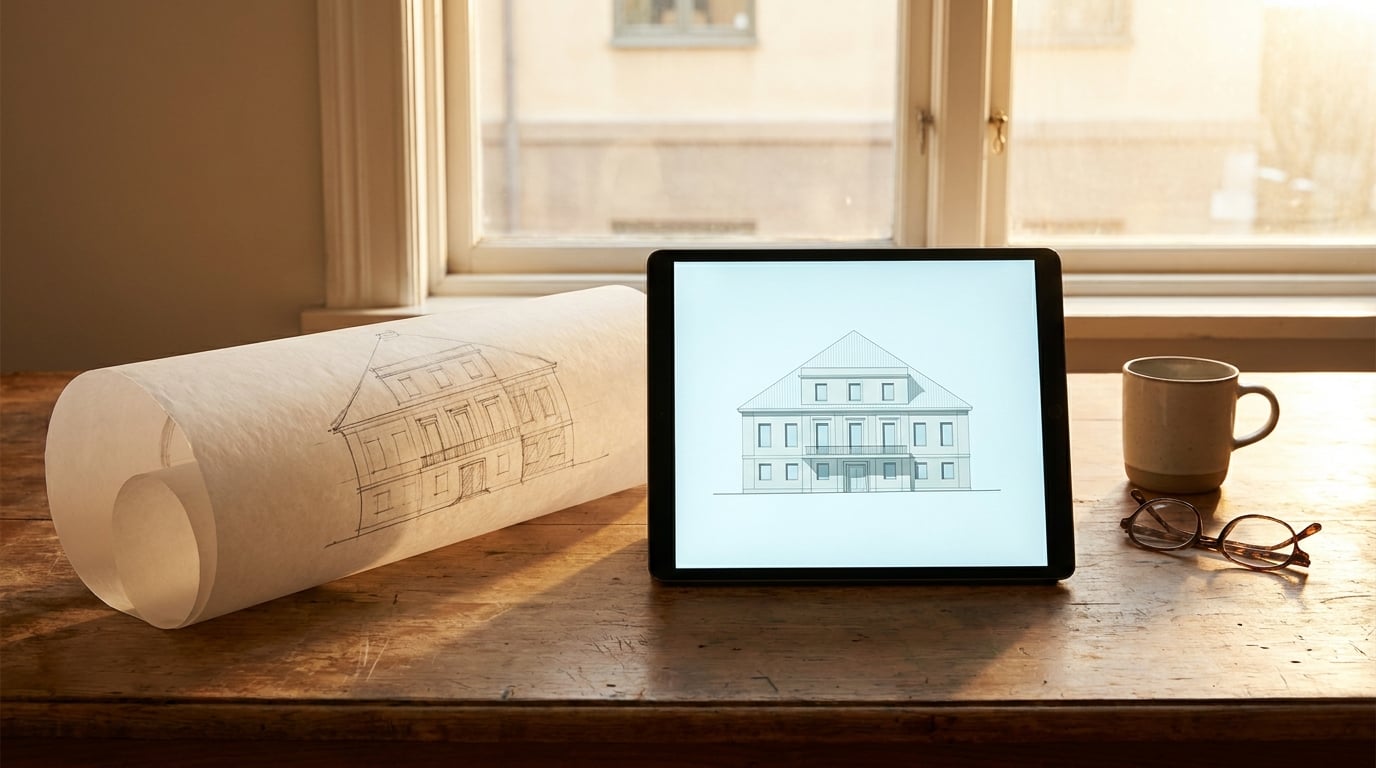
Vague prompts produce vague renders. These five techniques give AI image models the architectural specificity they need to produce convincing results.
Why Architectural Prompts Fail (and What They're Missing)

Most architectural prompts fail before the model even starts generating. The problem is not the AI. It is the prompt treating the model like a search engine rather than a skilled collaborator who needs to make decisions about camera placement, material physics, light behaviour, and spatial depth simultaneously.
A search engine returns results. A cinematographer and an architect make choices. When your prompt does not make those choices for the model, the model defaults to its training average, and the training average for "modern house exterior" is a floating, symmetrical box rendered in flat noon light with suspiciously green grass and a cartoon sky.
Common Failure Modes
Architectural AI renders fail in predictable ways. Floating geometry appears when the model has no ground-plane anchor. Materials look wrong when named rather than described physically. Lighting feels artificial when it has no temporal or directional anchor. And spatial depth collapses when there is nothing in the foreground, midground, or background to give the viewer a sense of scale and distance.
These are not random errors. They are the direct result of under-specified prompts. Each failure maps to a missing layer of information.
What Architectural Prompts Actually Need to Resolve
General image generation can be forgiving. Ask for "a red car on a road" and the model fills in the gaps pleasantly enough. Architectural renders are less forgiving because the viewer brings more knowledge. Humans understand building scale, structural logic, how glass reflects, how concrete weathers. Any deviation from physical plausibility reads immediately as wrong.
The model needs to resolve five distinct layers at once: structure, material, light, camera, and atmosphere. A prompt that addresses only two or three of these layers leaves the model to invent the rest, and what it invents will rarely match a professional standard.
Model Selection: Flux vs Nano Banana Pro
Within Stensyl's Image pillar, model choice matters before you write a single word. Flux handles structural coherence exceptionally well. It maintains geometric consistency across complex facades and resolves fine material detail at high resolutions, making it the stronger choice for detailed exterior renders where material accuracy and clean lines are the priority.
Nano Banana Pro leans toward more atmospheric, painterly coherence. It handles complex lighting scenarios with greater flexibility and tends to produce more compelling mood in images where atmosphere outweighs technical precision. For concept renders early in a project, or for interior-exterior scenes with dramatic light, it often produces more immediately striking results.
The practical rule: use Flux when the architecture needs to be the hero. Use Nano Banana Pro when the mood needs to carry the image.
Every architectural prompt needs to address five layers: structure, material, light, camera, and atmosphere. Leave any of them unspecified and the model defaults to its training average.
Technique 1: Specify Camera Position Like a Cinematographer

Camera language is the single fastest upgrade you can make to an architectural prompt. "Exterior view of a house" gives the model nothing to work with. It could render from above, below, straight on, or at a diagonal. It has no sense of distance, focal length, or lens behaviour. The result is almost always the same: a slightly elevated, slightly wide, slightly distant shot that communicates nothing about the building's spatial quality.
Focal Length Changes Everything
Focal length is not just a technical specification. It fundamentally changes how a building reads. A 24mm lens introduces barrel distortion, widens the frame, exaggerates perspective, and makes spaces feel larger and more dynamic. It suits interiors and tight urban sites where you want to show context. A 85mm lens compresses depth, flattens facades in a flattering way, and makes materials read more clearly. It suits elevational studies and residential exteriors where you want the building to feel composed and considered.
Between those two extremes, 35mm sits closest to natural human vision and works well for street-level urban renders. 50mm is the classic architectural photography standard: honest, direct, minimal distortion.
Practical Prompt Comparison
| Weak Prompt | Stronger Prompt |
|---|---|
| Exterior view of a house | Street-level shot at 35mm, eye height 1.6m, slight upward tilt, building fills two-thirds of frame, 15m distance from facade |
| Wide shot of an office building | 28mm wide angle, low vantage point at pavement level, strong converging verticals, building recedes into background at 45-degree angle |
| Bird's eye view of a villa | Aerial drone shot at 60-degree angle, 50mm equivalent, building centred in frame, landscape context visible for 80m in all directions, late afternoon shadow direction from south-west |
Drone and bird's-eye prompts require extra care. Without explicit spatial cues, elevated shots tend to produce flat, unreadable compositions where the building looks like a plan drawing rather than a three-dimensional object. Adding shadow direction, surrounding context scale, and a specific tilt angle solves most of these problems.
When constructing camera descriptors, use real architectural photography as your mental model. Think of photographers like Iwan Baan or Hufton+Crow. Their images have a deliberate camera position that you can describe in words. That translation from image to language is the skill the technique asks you to practise.
Specifying focal length and eye height in your prompt is faster than any post-processing correction. Get the camera right first.
Technique 2: Describe Materials With Physical Behaviour, Not Just Names
Naming a material tells the model a category. Describing its physical behaviour tells the model what to render. "Concrete" produces a generic smooth grey surface. "Board-formed concrete with visible horizontal formwork lines at 300mm centres, slight calcium efflorescence at the base, slightly darker tone where water has tracked from roof overhangs" produces something that looks like it was actually built and has been standing in the weather for a year.
The Four-Layer Material Descriptor
A reliable method is to layer four pieces of information for each primary material: base material, finish state, age condition, and light response.
- Base material: the substance itself (concrete, larch, weathering steel, low-iron glass)
- Finish state: how it was processed or applied (board-formed, sawn, patinated, acid-etched, brushed)
- Age condition: its relationship to time and weather (new, one season old, decades of patina, water-stained at joints)
- Light response: how it behaves under the specific lighting in your scene (absorbs warm tones, high specular highlight on wet surface, matte diffuse in overcast conditions)
Not every image needs all four layers for every material. But using at least two layers per primary material consistently improves output quality.
Prompting Glass Accurately
Glass is where most architectural prompts fall apart. The model's default glass is either a mirror or a blank void. Real architectural glass is neither. It has a tint, a reflectivity level that varies with angle, frame visibility, and interior depth cues that suggest there is a lit space behind it.
A weak glass prompt: "large glass windows." A stronger prompt: "floor-to-ceiling low-iron glass, slight green tint at edges, 30% reflectivity showing distorted sky reflection, warm interior light visible through glass suggesting depth of 6m, aluminium frame at 60mm width."
Before and After: Timber and Steel
| Material | Weak Descriptor | Strong Descriptor |
|---|---|---|
| Timber | wooden cladding | horizontal larch cladding, rough-sawn face, silver-grey weathered patina, grain texture visible at close range, slight sheen on end grain |
| Steel | metal facade | Corten weathering steel panels, deep rust-orange patina, surface texture of oxidised micro-pitting, slight reflective highlight on raised edges |
| Stone | stone wall | hand-laid limestone ashlar, cream to buff tonal variation between courses, slight biological staining at mortar joints, matte finish absorbing rather than reflecting direct light |
Adding imperfection descriptors is one of the most reliable improvements available. Pristine, perfect materials consistently read as CGI. Weathering, staining, variation, and wear signal to the model that this is a photograph of a real building, and the overall output calibrates to match.
Describe what a material does under light and over time, not just what it is called. Physical behaviour is what separates a photorealistic render from a technical diagram.
Technique 3: Anchor Lighting to a Time, Season, and Sky Condition

"Natural lighting" is the weakest lighting specification available. It tells the model to pick any daytime condition it finds plausible, and it will almost always choose a bright, slightly overcast midday that flatters nothing and reveals nothing interesting about the materials or space.
The Three-Part Lighting Anchor
Every strong lighting prompt has three components working together.
- Time of day: the position of the sun in the sky (not just "morning" but "8am in late October")
- Sun angle or overcast condition: the angle of incident light and whether it is direct, diffuse, or blocked ("sun at 18 degrees above horizon, hard shadows" or "thin overcast layer, soft shadow definition, no direct sunlight")
- Ambient colour temperature: the overall colour of the light filling shadows and bouncing off surfaces ("warm amber direct light with cool blue ambient fill" or "flat neutral grey ambient, no colour bias")
Golden Hour vs Overcast Diffuse
These two conditions do completely different things to architectural materials. Golden hour (sun 5 to 15 degrees above horizon) produces warm amber direct light, long shadow lines that reveal surface texture, and high contrast between lit and shaded faces. It is dramatic and cinematic. It also hides detail in shadow and can make materials unreadable if the contrast is too extreme.
Overcast diffuse light is the preferred condition for material studies. Shadow definition is soft. There is no single dominant light direction. Colours read accurately without the amber bias of golden hour. Textures are visible across the entire surface. Many of the best architectural photography commissions are shot in this condition precisely because it is honest about what the building actually looks like.
Interior-Exterior Light Balance
Images that show both inside and outside simultaneously require explicit interior-exterior light balance in the prompt. Without it, one space will be correctly exposed and the other will blow out or black out. The most effective approach is to specify the interior light temperature and intensity as a secondary light source. For example: "exterior in golden hour at 3pm, interior ambient warm white at 2700K visible through glazing, interior 1.5 stops dimmer than exterior to avoid glare wash-out."
Geographic and Seasonal Light References
Geographic references produce remarkably specific light conditions in well-trained models. "Northern European winter light at 3pm" generates low sun angle, cool blue shadow tone, and a specific quality of pale, slightly melancholy light that is immediately recognisable and highly specific to region and season. Compare that to "bright sunny day", which produces a generic, high-contrast scene with no character.
Useful geographic anchors include: Scandinavian summer (long, low golden light, pale blue sky), Mediterranean midday (hard overhead light, deep shadow, bleached stone), Pacific Northwest overcast (cool grey diffuse, dark green vegetation), Japanese autumn light (warm amber slant, sharp shadow edges, slightly desaturated sky).
Technique 4: Set the Atmospheric Context Beyond the Building
A building floating against a white background is a technical drawing. A building situated in a believable landscape is a photograph. The difference is atmospheric context, and it operates at three spatial scales: foreground, midground, and background.
Foreground, Midground, and Background
The foreground anchors the viewer in the scene and provides immediate scale reference. Paving materials, planting at the base of the building, a puddle reflecting the facade, a parked bicycle: these are not decorative details. They are spatial anchors that tell the viewer where they are standing and how big the building is.
The midground is where the building lives. It needs to connect logically to both the foreground and background. Ground surface material, site boundaries, neighbouring structures, and landscape planting at medium scale all belong here.
The background sets the environmental register. A wooded hillside, an urban skyline, open farmland, a mountain range. The background should support the architecture's character rather than compete with it. A background that is too busy reads as a location shoot rather than an architectural study.
Prompting Vegetation Without Losing the Architecture
Vegetation is where many architectural prompts go wrong in a specific way. Add too much and the building disappears. Add too little and the site reads as sterile. The balance point is to specify vegetation by density, species, and scale rather than simply adding "trees and plants."
Compare: "surrounded by greenery" versus "three mature birch trees at right of frame, light canopy partially obscuring upper storey, low ground cover of gravel and wild grass in foreground, no vegetation within 5m of facade base."
Sky Composition
Sky is a design element. The proportion of sky to building, cloud type, gradient direction, and horizon line placement all affect the compositional weight of the image. A low horizon line with a large sky above gives the building a monumental quality. A high horizon line with the building tall in frame creates a more intimate, street-level perspective.
Useful sky descriptors: "scattered cumulus clouds, sky gradient from pale blue at horizon to deep blue at zenith," "completely clear pale winter sky with slight haze at horizon," "dramatic mackerel cloud formation, 60% sky coverage, no rain threat."
When to Use Negative Prompts
Negative prompts remove the model's most common defaults. For architectural renders, the consistent offenders are: scaffolding on completed buildings, cartoonish or over-saturated skies, aggressively green grass, lens flare that belongs in a film poster, and people who are either too prominent or incorrectly scaled. Adding these to a negative prompt in Stensyl's Image pillar cleans up outputs faster than any positive instruction.
Urban and rural contexts require completely different atmospheric registers. Urban renders benefit from specifying road surface material, pavement detail, distance to nearest building, and ambient light contribution from surrounding facades. Rural renders need horizon distance, topographic character, and sky-to-ground light ratio. Getting the register wrong produces images that feel geographically confused even if every other element is correct.
Technique 5: Use Style Anchors From Architectural Photography, Not Art Movements
Referencing an art movement in an architectural prompt produces stylistic blur. "Minimalist" can mean a dozen different things across furniture design, graphic design, interior design, and photography. "Brutalist" describes a material and structural approach, not a photographic style. The model averages across all of them and produces something vague.
Why Photography References Work Better
Architectural photography as a practise has developed highly specific visual languages. When you reference a publication, a photographic approach, or a rendering tradition, you are pointing at a much tighter cluster of visual decisions: aspect ratio tendency, colour grading approach, lens preference, depth of field convention, and compositional grammar.
Effective style anchors include: "shot in the editorial style of Wallpaper* architecture features," "in the tradition of Julius Shulman Case Study photography," "rendered in the manner of a Tadao Ando monograph photograph," "documentary architectural photography in the style of an Architectural Review site visit," or for conceptual work, "diagrammatic render in the manner of a Herzog and de Meuron competition submission."
Combining Photography Style With Technical Render Style
Hybrid outputs sit between photograph and technical render. For these, combine a photographic style anchor with a specific render mode reference. For example: "photorealistic exterior with slight CG render quality suggesting a high-end visualisation studio output, light atmosphere of a Hufton+Crow editorial shoot, materials resolved to sample-accurate level." This gives the model permission to be slightly more composed and deliberate than a candid photograph while remaining in the photorealistic register.
Building a Reusable Prompt Template
Once you understand the five technique layers, the practical step is to build a template that carries them across multiple project briefs. A working template structure:
- Structure brief: building typology, key architectural moves, primary massing description
- Material stack: primary material with four-layer descriptor, secondary material, glazing specification
- Lighting anchor: time, sun angle, colour temperature, interior-exterior balance if relevant
- Camera specification: focal length, eye height, distance, tilt, subject placement in frame
- Atmospheric context: foreground detail, site character, sky condition, negative prompt list
- Style anchor: photographic reference and render quality register
This template does not need to produce the same prompt twice. The structure is consistent but every layer takes new project-specific values. A residential timber cabin in rural Scotland fills the template completely differently than a civic library in a Mediterranean city, but both outputs benefit from the same systematic approach.
Testing Systematically in Stensyl
Prompt development works best when you isolate variables. In Stensyl's Image pillar, the most efficient approach is to lock five of the six layers and vary only one at a time. Run three variations of the lighting anchor while keeping the camera, material, structure, atmosphere, and style constant. Compare the outputs. This reveals which variable is most responsible for the quality difference you are trying to close.
This is more disciplined than re-running the entire prompt with vague changes, and it produces a documented library of prompt components you can recombine across projects. Over a month of consistent work, the library becomes a significant professional asset.
The best architectural photographers do not describe a building. They describe a specific moment of a building under specific light from a specific position. Your prompts should do the same.
A reusable six-layer prompt template turns each generation run into a systematic test. Over time, your prompt library compounds into a professional asset that gets faster and more accurate with every project.
These five techniques compound. A precisely specified camera position becomes more effective when the lighting is anchored to a real condition. Accurate material descriptions perform better when the atmospheric context gives them something to react to. Style anchors land correctly when the photographic register is consistent with the light and camera choices.
Start with technique two, material description. It produces the most visible quality improvement for the least prompt complexity, and it trains the instinct for physical specificity that underpins all the other techniques. Once material description feels natural, add lighting anchors, then camera language, then atmosphere, then style. Build the stack layer by layer until the template is yours.
Keep reading.

Try Stensyl for yourself
Image, video, 3D, chat, and document drafting. Every AI model, one studio. Plans from £10/month.