AI Character Consistency Prompts: A Practical Guide for Game and Film Creatives.
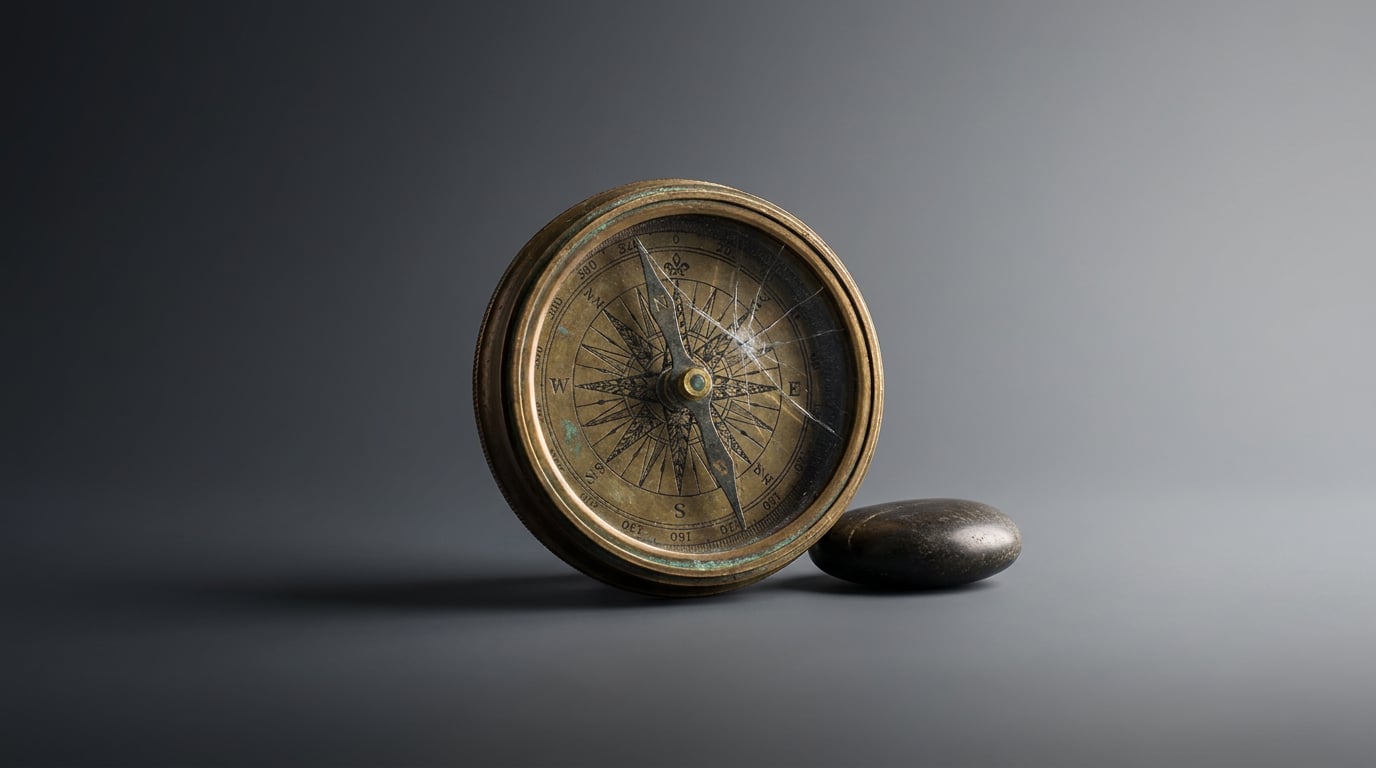
Keeping AI-generated characters consistent across scenes is the hardest part. These prompting techniques solve it for game and film workflows.
Why AI Characters Drift and What It Costs You

Every generative model starts from zero. There is no persistent memory between jobs, no internal record of what your character looked like three prompts ago. Submit a new prompt and the model rebuilds the character from scratch, guided only by what you write and whatever reference you provide. That stateless behaviour is the root cause of visual drift, and understanding it precisely is the first step to controlling it.
Drift arrives in two distinct forms. Attribute drift is the more immediately obvious: a game character's scar migrates from the left jaw to the right cheek, a film antagonist's coat changes from charcoal wool to leather, a mascot's eye colour shifts between ochre and amber depending on how you phrase the prompt. Tonal drift is subtler and often more damaging to a production: the render style shifts from flat cel shading to soft painterly lighting halfway through a character sheet, or the mood moves from harsh noon sun to golden hour without any instruction to do so. Both types compound each other in long shoots or multi-sheet pipelines.
The production cost is concrete. A game NPC whose hair changes between concept sheets forces the 3D team to arbitrate which version is canonical before the asset is built, burning hours on a problem that should not exist. A film antagonist whose defining scar appears on different parts of the face across storyboard frames requires a director's review session to resolve continuity, not story. When AI-generated outputs feed directly into Meshy or Luma's Genie for base mesh generation, 2D attribute drift is inherited by the 3D asset, propagating downstream into rig and texture work.
The fix is not a better model. It is better craft. A costume designer does not rely on memory to keep a production consistent; they maintain a costume bible with swatches, measurements, and notes. A prompt engineer maintaining a character across hundreds of outputs needs the same discipline: a structured, immutable character spec that travels with every generation.
Attribute drift and tonal drift are separate problems requiring separate fixes. Treat them as distinct failure modes in your diagnostic workflow, not symptoms of the same vague issue.
Build a Character Anchor: The Prompt Spec Sheet

A character anchor is a fixed block of descriptive text that prepends every generation prompt for a given character, without exception. It covers the physical constants that must never change: height ratio, skin tone, eye colour, dominant clothing colours, and any signature props or distinguishing marks. The anchor is not a creative brief. It is a technical specification, and it functions the same way a design system token does: it should be copied, never paraphrased.
Consider a game NPC built for a desert survival title. The anchor might read:
Male, mid-40s, lean athletic build, deep tan skin, dark brown eyes, clean-shaven with a jagged scar along the left jawline, short salt-and-pepper hair, faded ochre field jacket with rolled sleeves, worn canvas trousers, battered brass compass on a leather cord around the neck.
Those tokens, in that order, appear verbatim at the start of every prompt for this character. The scene changes. The pose changes. The background changes. The anchor does not. PixVerse's own production documentation describes exactly this structure: one tight paragraph for facial features and hair, one line for the default outfit, one line for physical build, with the identity block held constant while scene description varies.
The same logic applies to a period film antagonist. The anchor might include fabric-level specificity: "charcoal worsted wool frock coat, brass buttons, high collar, no visible jewellery, diffuse north-facing daylight as default lighting reference." Locking the lighting condition inside the anchor, not just in the scene description, prevents tonal drift from creeping in via environmental variables. The character carries the light with them.
For marketing and content teams maintaining an AI brand mascot across thumbnails, carousel posts, and short-form video, the anchor structure is identical. The mascot's colour palette, facial proportions, and costume details are documented once and treated as immutable across every platform output.
Storing these anchors inside a Stensyl Project workspace gives the whole team access to the same source text and generation parameters. Nobody is copying from a chat history or reconstructing the anchor from memory. The spec lives in the Project, and anyone generating from it pulls from the same document.
Before an anchor goes into production use, it is worth drafting and stress-testing it with a capable writing model. In Stensyl's Write surface, Claude Sonnet 4.6 (available on Pro tier) or GPT-5.5 (available on Starter tier) can take a rough character brief and return a structured, token-efficient anchor with redundant synonyms removed and attributes in priority order. That single step eliminates a common source of drift before a single image is generated.
Prompting Techniques That Actually Hold Consistency
An anchor block is the foundation. These techniques determine how well it performs under the pressure of varied scene prompts.
Token Order and Early-Position Weighting
Diffusion models and most generative image pipelines give more weight to tokens that appear early in the prompt. That means the most visually critical attributes should lead. "Scarred left jaw, ochre jacket, brass compass" should appear before any mention of location, action, or lighting. Burying distinguishing features after three lines of scene description is one of the most common causes of attribute drift on longer prompts.
Negative Prompting as a Consistency Tool
Generative models default toward familiar archetypes when given ambiguous instructions. A desert scout without explicit constraints will drift toward fantasy ranger conventions: a hood, a bow, darker clothing. Negative prompts counteract this directly. Explicitly excluding common drift directions, such as "no hood, no beard, no red clothing, no armour," forces the model away from archetype generalisation and back toward the specific character on record. PixVerse's production documentation supports this approach, advising teams to explicitly ban wrong age brackets, accessories, and duplicate faces in the negative prompt.
Style Tokens and Render-Mode Locking
For game concept art, tonal drift is often a style-token problem. If the render style is not explicitly locked in the anchor, the model treats style as an open variable and shifts it with each generation. A short style block, such as "flat cel shading, four-colour limited palette, hard ink outlines," should appear in the anchor for every prompt in that character's sheet, not just in the first one. This is especially important when a character appears across both in-engine concept passes and marketing key art: the two contexts have different visual conventions, so each warrants its own style-locked anchor variant.
Reference Chaining
Text alone is the weakest anchor. Every tool that supports image-to-image input or a reference image mode should use a locked hero render as the visual anchor alongside the text block. Midjourney's character reference mode accepts a reference image URL and assigns it a weight parameter, prioritising identity from that image across subsequent generations. Ideogram 2.0 offers a similar Character Reference upload in its web interface. When Stensyl's Generate surface exposes image-to-image input for a given model, use the approved hero render as the reference for every pose, expression, or outfit variant.
Scene-Variable Separation
Structure every prompt with a hard conceptual boundary between the character anchor and the scene description. In practice, this means the anchor block is written first, and scene variables, location, lighting, action, time of day, begin only after it. This separation makes it easy to swap scenes without accidentally editing character tokens, and it makes prompt audits faster when drift occurs.
No anchor survives contact with a prompt that mixes character tokens and scene variables into a single undifferentiated block. Separate them structurally, every time, without exception.
Using Storyboards and Film to Sequence Consistent Characters

Single-image consistency is manageable. Sequential consistency across a multi-scene production is where most workflows break down. The problem is not the anchor itself but the process of carrying it from one generation context to the next without modification.
Stensyl's Storyboards surface lets film and game creatives sequence scene-by-scene boards in a structure that keeps the character prompt block visible and editable across frames. Rather than reconstructing the anchor for each new board frame, the same identity block travels with the project, reducing the chance that individual panel prompts diverge from the master spec.
The Film surface extends this into a multi-scene cinematic structure. When consistent character anchors are applied at scene level, continuity errors surface before any output goes to director review rather than after. A film team pre-visualising a three-act antagonist arc can use the same anchor block across every scene in the Film surface, varying only the scene description, and review the full sequence for drift before committing to further generation passes.
A practical starting point for any film or game project: generate a character bible sheet as a single output in the Generate surface, combining front, three-quarter, side view, and expression variants in one composition. This becomes the visual reference image for all downstream Film and Storyboards prompts, used alongside the text anchor. The bible sheet and the anchor text together form the visual truth that every team member generates from.
Stensyl's Moodboards surface is the right place to pin that reference output alongside the anchor text. When every team member can see the same reference image and the same spec text in a shared workspace, prompt improvisation drops sharply. The Moodboard functions as a single visual truth: before generating, consult it; after generating, check against it.
Fixing Drift When It Happens: A Diagnostic Workflow
Drift is not a failure of the model. It is a signal that the anchor is incomplete, the prompt structure is leaking, or the wrong generation model is being used for the task. The diagnostic approach is systematic, not intuitive.
Identify the Drift Type First
The three most common causes are: the anchor text is too short and under-specified; scene variables have been written in a way that overwrites character tokens; or style tokens are missing from the prompt entirely. Knowing which failure mode you are dealing with determines the repair.
Step One: Strip and Regenerate
Remove every scene variable from the prompt and regenerate using only the anchor block. If the character holds across three or four outputs, the drift was caused by the scene description, not the anchor. If the character still drifts on the anchor alone, the anchor needs stronger or more specific tokens. Vague descriptors like "medium build" or "dark clothing" give the model too much latitude. Replace them with precise physical descriptors: "lean, 180cm equivalent proportion, slate grey linen shirt, single breast pocket."
Step Two: Model Selection
Different generation models respond differently to dense descriptive anchors versus structured attribute lists. Stensyl's Ray assistant is built to help with exactly this decision. Ray helps identify which generation model is most appropriate for the consistency requirements of a specific task, based on the nature of the character, the output format needed, and the generation surface in use. Using the wrong model for a consistency-critical task is a structural problem, not a prompting one, and Ray is the fastest way to reframe the model choice.
Repairing Tonal Drift
If the physical attributes are holding but the render mood is shifting, the lighting descriptor and colour palette reference are not in the anchor. They are in the scene block, where they get overwritten with each new scene. Move a locked lighting descriptor into the character anchor itself: "diffuse overcast daylight, desaturated shadows, no warm fills." The character now carries their lighting convention as a property, not as a scene variable.
When to Rebuild Rather Than Patch
If more than three physical attributes have drifted across a generation sheet, patching individual prompts is slower than rebuilding. Take the outputs that did hold, identify the tokens that produced accurate results, and reconstruct the anchor from those successful generations. Then use Stensyl's Write surface to formalise the rebuilt anchor before re-entering the generation pipeline.
When drift exceeds three attributes, rebuild the anchor from successful outputs rather than patching prompts one by one. Repair time drops significantly and the new anchor is more robust than a patched one.
Maintaining Consistency Across a Production Team
Individual prompt discipline is necessary but insufficient on a team. The failure mode in collaborative production is not malice; it is version divergence. One animator's local copy of the anchor gains a synonym. A designer adds a scene note that drifts into the identity block. A junior team member works from a screenshot of an old prompt rather than the current spec. Multiply these small deviations across a ten-person team over eight weeks and the character has effectively split into several competing versions, none of them canonical.
Shared Project Workspaces
Every character anchor lives in a shared Stensyl Project. Not in a Slack message, not in a local notes file, not in the most recent generation prompt. The Project workspace becomes the single source of truth, and every team member generates from it directly. When the spec changes, it changes in the Project and only there.
Living Character Bible in Write
The anchor is the minimum viable document. A full character bible, maintained in Stensyl's Write surface, captures the rationale behind anchor choices, documents design evolution, and notes which outputs have been approved as visual references. Claude Sonnet 4.6 or GPT-5.5 are well suited to rationalising contradictory anchor versions when a character has been through multiple design iterations: feed both versions to the model and ask it to produce a single, non-contradictory canonical spec.
Establishing a Review Gate
Before any character output moves to asset production or storyboard approval, it is checked against the pinned Moodboard reference. This is not an optional step. Five minutes of comparison at this stage prevents hours of rework downstream. The review gate is the procedural equivalent of a line producer checking that a costume matches the bible before a shoot day begins.
Naming Conventions Inside Prompts
Generic character descriptions invite archetype generalisation. Using a unique, non-generic codename inside the prompt, such as "VAREK-SCOUT" rather than "the scout" or "desert warrior," gives the model a distinctive label that is less likely to map onto familiar training-data archetypes. This is especially relevant for game characters in familiar genre settings, where "rogue," "mage," or "soldier" carry strong archetype associations that compete with your specific anchor.
Version the Anchor, Not the Prompt
When a character design evolves mid-production, update the anchor spec in the Project and log the change with a version note and the date. Do not silently edit the anchor. Treat it the way a design team treats a token update in a design system: the change is documented, the previous version is preserved, and every team member is notified. Individual prompt files should not be edited to reflect design changes; only the shared anchor is updated, and all prompts inherit the new spec from there.
| Anchor Element | Where It Lives | How Often It Changes |
|---|---|---|
| Physical constants (face, build, skin tone) | Shared Project anchor | Rarely; only on approved redesign |
| Default outfit and props | Shared Project anchor | On costume iteration or alternate skin |
| Style and render lock | Shared Project anchor | On art direction change only |
| Scene variables (location, action, lighting) | Individual prompt; after anchor block | Every generation |
| Reference image (hero render) | Pinned Moodboard | On approved visual update |
Character consistency in AI-assisted production is not a feature you wait for a model to deliver. It is a system you build and maintain. The models, whether you are working in image generation, video previs, or 3D base mesh workflows, treat every generation as stateless. Your anchor, your reference discipline, and your team processes are the memory they do not have. Build that system once, maintain it rigorously, and the model becomes a capable executor of a consistent creative vision rather than a source of entropy in your pipeline.
Keep reading.


Try Stensyl for yourself
Image, video, 3D, chat, and document drafting. Every AI model, one studio. Plans from $11/month.