Flux 2 Pro vs Recraft V3: Best Pick for Graphic Designers.
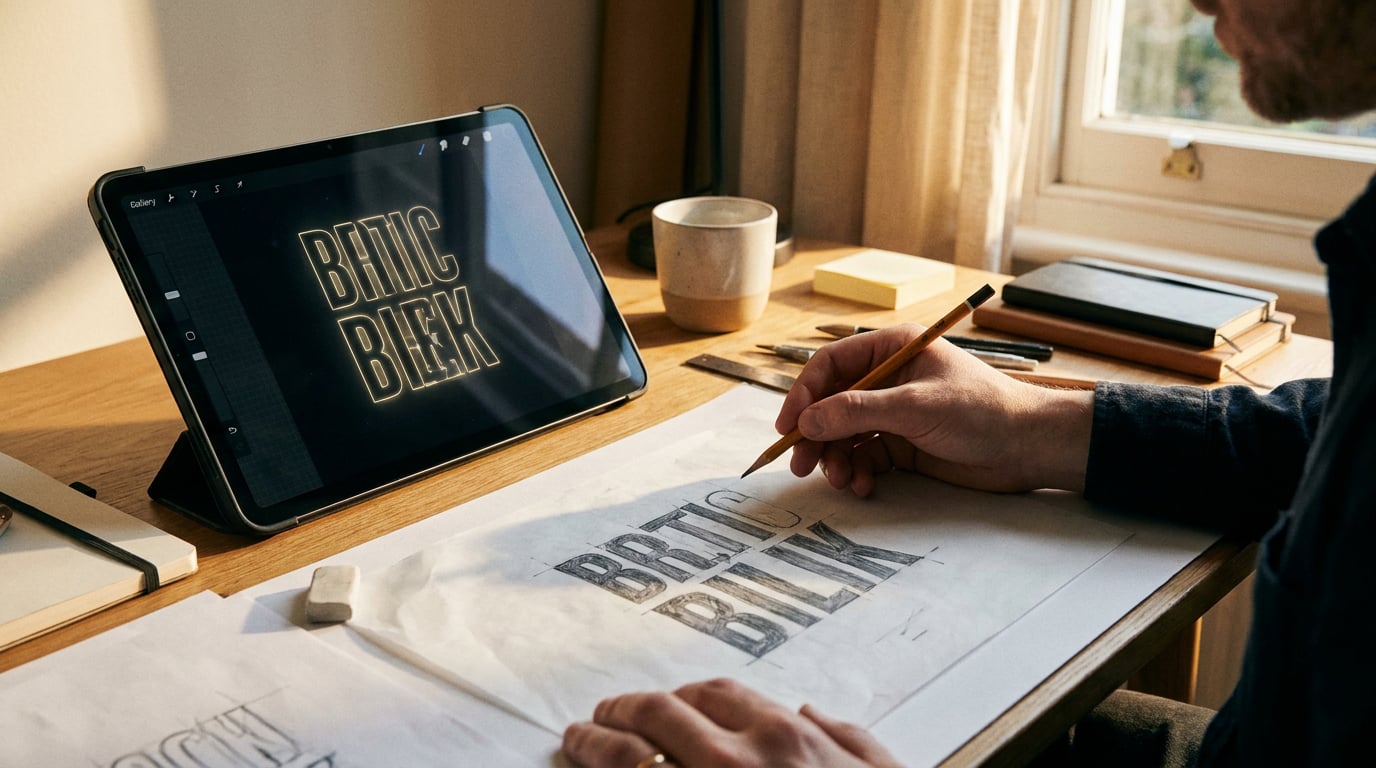
Flux 2 Pro and Recraft V3 take different approaches to image generation. Here's which one earns its place in a graphic design workflow.
What Each Model Is Actually Built For

Flux 2 Pro and Recraft V3 sit at opposite ends of the image generation spectrum, and understanding that difference before you open a brief will save you credits and regenerations.
Flux 2 Pro is a general-purpose photorealistic image model. It leads on structural fidelity, lighting nuance, and prompt adherence for complex scenes. Independent comparisons in 2026 place it at or near the top for photorealism among all major image generators, competing directly with Midjourney for cinematic and atmospheric outputs. If your deliverable is a hero lifestyle photograph, a product in context, or an environment shot for a campaign deck, Flux 2 Pro is the model built for that task.
Recraft V3 is purpose-built for design systems. It is currently the only mainstream image model with native SVG output, and it is optimised for vector graphics, flat illustration, iconography, and type-heavy compositions. Comparative reviews consistently place it second only to Ideogram V3 for in-image text rendering accuracy, ahead of every diffusion-based model in that category. For a graphic designer generating social carousels, packaging mockups, or UI icon sets, Recraft V3 is the design-first default.
The distinction becomes immediately practical on briefs like a product label, an event poster, or a branded presentation slide. Those outputs require legible text and precise colour at first pass. Flux 2 Pro will produce a visually impressive result that may need manual correction; Recraft V3 will produce a usable compositional draft more quickly.
Neither model is universally superior. The right choice depends on whether the output is a final design asset or a photographic reference feeding another stage of the workflow. Most graphic design projects eventually need both.
Recraft V3 is a design-system tool that generates images. Flux 2 Pro is an image generator with design applications. The framing you choose determines which model earns its place on your brief.
Typography and Text Rendering: Where Recraft V3 Pulls Ahead

Text rendering is the starkest performance gap between these two models, and for graphic designers it is often the deciding factor.
Independent benchmarks rank Ideogram V3 first and Recraft V3 second for typographic accuracy in AI image generation. In one comparative test, Ideogram rendered correct text approximately 75% of the time, with Recraft V3 a close second and most diffusion-based models falling below 50%. For short strings, such as a product name, a tagline, or a logo wordmark, Recraft V3 produces consistently legible output with minimal artefacts. Outputs from Recraft V3 also tend to require less vector clean-up when brought into Figma or Illustrator, which matters when you are generating a batch of label variants rather than a single exploratory concept.
Flux 2 Pro takes a different approach to image construction. Its architecture is optimised for photographic realism and prompt adherence on visual composition, not typographic precision. Earlier Flux model tests show competent handling of short labels and signage in constrained contexts, but multi-word strings at smaller sizes remain an unreliable output. Designers working on briefs that require readable callouts, multi-line body copy inside a graphic, or product callout panels report needing significantly more regenerations before a usable result appears.
A practical test worth running: feed both models the same prompt containing a four-word tagline and a product name at two sizes. The gap in first-pass legibility is immediate and consistent. On a point-of-sale mockup, an event poster, or a packaging concept, that gap translates directly to time.
| Task | Flux 2 Pro | Recraft V3 |
|---|---|---|
| Short tagline or logo wordmark | Inconsistent, often requires retries | Reliable at first pass |
| Multi-line body copy inside image | Frequently fails on small sizes | Notably better, still not perfect |
| Product label with callout text | Good composition, weak legibility | Stronger legibility, usable for mockups |
| Signage in a photorealistic scene | Acceptable for reference shots | Better accuracy, less photographic depth |
For event poster concepts, packaging layouts, and point-of-sale graphics, Recraft V3 is the safer default when legibility must be right in the first pass rather than corrected in post.
On type-heavy briefs, Recraft V3 reduces the number of generation attempts before a client-ready draft appears. That is not a marginal gain — on a 12-asset campaign set, it is the difference between a morning and an afternoon.
Colour Accuracy, Stylistic Control, and Brand Consistency
Colour handling is the second major axis of difference, and it splits cleanly along the same realism-versus-design-system divide.
Recraft V3 accepts explicit colour inputs and responds to them with reliable consistency. Practitioners report that specifying hex codes or descriptive palette references in a Recraft V3 prompt produces outputs that stay within those constraints across a batch, which is essential when you are generating a set of social templates, a suite of packaging variants, or a UI icon kit that must hold to a brand's colour system. The model's SVG output capability reinforces this: vectors that slot directly into Figma or Webflow can have token-based colour applied programmatically, bypassing the drift that typically occurs when you recolour raster outputs manually.
Icon sets are a strong example. Generating ten category icons with consistent line weights, proportions, and a shared two-colour palette from a single descriptive prompt is a task Recraft V3 handles well. The outputs are production-adjacent rather than finished, but they reduce the illustration brief to a clean-up exercise rather than a build-from-scratch one.
Flux 2 Pro produces richer photographic colour. Its strengths are atmospheric lighting, material texture, and the kind of nuanced tonal grading that makes a lifestyle image feel editorial rather than stock. For a campaign hero shot — a product on a surface, a model in a contextual environment, an interior with directional light — Flux 2 Pro's colour handling is demonstrably more sophisticated than Recraft V3's.
The tradeoff is precision. Flux 2 Pro interprets colour descriptors loosely. It will render a warm amber, but it will not reliably hit Pantone 151 C. For corporate brand work where colour matching is contractual, that limitation matters. Independent reviewers describe Flux 2 Pro's colour control as "cinematic grading" rather than palette compliance, which is accurate and useful as a mental model when deciding which tool to open.
Across disciplines, the split looks like this:
- Marketing and advertising, content and social: Recraft V3 for on-brand carousels, stat graphics, and ad variants; Flux 2 Pro for lifestyle hero images showing products in context.
- Web and UX design, product design: Recraft V3 for SVG iconography and UI illustrations; Flux 2 Pro for realistic product renders and campaign banners.
- Exhibition and event design: Recraft V3 for signage systems and graphic panel treatments; Flux 2 Pro for atmospheric venue or installation visualisations.
- Architecture, interior design, automotive, game development: Flux 2 Pro for near-photographic environment and vehicle shots; Recraft V3 for overlay graphics, wayfinding icons, HUD elements, and stylised maps.
Running both models through Stensyl's Generate surface lets you compare outputs side by side without switching between separate subscriptions or managing multiple API keys. The decision about which output to take forward happens in one place, with the same credit system covering both.
Prompt Strategy: Getting the Best From Each Model

Each model has a prompt language that unlocks its ceiling. Using the wrong language does not break the generation, but it reliably caps the output quality below what the model can actually do.
Prompting Recraft V3
Recraft V3 responds to design-system language. When you describe a composition the way you would brief a junior designer — layout grid, negative space intent, typeface style, explicit colour values — the model translates those constraints into the output rather than interpreting them as suggestions.
Effective Recraft V3 prompts for graphic design include:
- Colour specifications: "two-colour palette, #1A1A2E and #E94560" rather than "dark blue and red"
- Layout structure: "centred wordmark, generous white space below, no decorative elements"
- Style category: "flat icon, 2px stroke, geometric, no gradients"
- Output intent: "SVG-ready, solid fill, isolated on white background"
Mood descriptors alone will produce a result, but a result that drifts from your brand constraints. Ground the prompt in design specifications and the model narrows the output variance significantly.
Prompting Flux 2 Pro
Flux 2 Pro rewards cinematic and photographic language. The model understands lens characteristics, lighting conditions, material surfaces, and environmental context as first-class inputs. The more precisely you describe the photographic conditions, the more the model differentiates its output from a generic render.
Effective Flux 2 Pro prompts include:
- Lighting: "golden hour side-light, soft shadows, warm atmospheric haze"
- Lens and format: "85mm portrait lens, f/1.8, shallow depth of field"
- Material and texture: "brushed aluminium surface, matte ceramic, frosted glass"
- Environmental context: "industrial loft interior, concrete walls, directional tungsten spotlights"
Avoid over-specifying colour in Flux 2 Pro prompts. The model interprets colour descriptors loosely, so specifying a precise hex code produces less reliable results than describing the colour's quality: "warm terracotta" or "deep navy" will guide it more effectively than a six-digit code it may partially ignore.
A two-stage approach for graphic design briefs
A practical pipeline for most graphic design projects uses both models in sequence. Use Recraft V3 to generate the compositional mockup: accurate text, correct palette, tight layout structure. Then use Flux 2 Pro to generate supporting photographic assets — the contextual scene, the lifestyle image, the atmospheric hero — that sit alongside the flat graphic in the finished piece. The two outputs complement each other in a way that neither model achieves alone.
Stensyl's Ray surface is useful at the start of this process. Describe the output you need and Ray will recommend which generation model fits the task, which saves the decision cost when you are moving fast on a live brief. Ray is built specifically for this kind of model-routing decision and sits alongside the Generate surface in the workflow.
Model selection is a prompt decision as much as a capability decision. Knowing which language each model responds to means fewer wasted credits and a stronger first-pass result on every brief.
Workflow Integration Inside Stensyl
Both Flux 2 Pro and Recraft V3 are accessible through Stensyl's Generate surface. For a graphic designer, that means running comparative generations across both models inside a single interface, without maintaining separate API keys, separate subscriptions, or context-switching between tools.
The Graphics surface complements either model for design-specific tasks that need a tighter design-tool interface rather than open-ended image generation. When the brief calls for vector-style graphic work and you want more structured output controls, Graphics is the surface to work from. When you need the full generative range of Flux 2 Pro or Recraft V3, Generate is the right starting point.
On the Canvas surface, the Image Generate node lets you chain Flux 2 Pro or Recraft V3 outputs directly into subsequent editing or compositing steps. Rather than generating an image, downloading it, reimporting it into a separate tool, and repeating, you build a node-based pipeline that connects generation to refinement in a single flow. For production work on a social campaign or a packaging line where you need to iterate across multiple assets with consistent treatments, that pipeline structure replaces a fragmented multi-app process with a repeatable one.
Moodboards on Stensyl give you a practical staging area before you commit to a direction. Pin generations from both Flux 2 Pro and Recraft V3 into a single visual reference board, compare them alongside client references and brand assets, and make the direction decision in context rather than from memory. Presenting a moodboard to a client or an internal stakeholder before generating a full asset set reduces late-stage revision cycles.
Credit cost and practical planning
Credit cost varies by model, and running parallel tests across Flux 2 Pro and Recraft V3 to find the right default for a given project type is genuinely cost-efficient at the Pro tier (6,000 credits at £42 per month) or Studio tier (12,500 credits at £84 per month). Neither tier forces you to ration comparative testing. The Starter tier (2,500 credits at £22 per month) supports a meaningful volume of single-model generation for designers who have already established their defaults through earlier testing.
The broader industry pattern supports this multi-model approach. Workflow guides consistently recommend a two-model stack for most creative teams: a realism model for photographic and cinematic output, paired with a text and vector model for design assets and brand system work. That pairing covers the majority of day-to-day graphic design needs, and running both inside Stensyl means the two models share a credit pool rather than requiring two separate subscription payments.
The Honest Verdict for Graphic Design Briefs
Recraft V3 is the stronger default for most graphic design work. Type-heavy compositions, brand identity explorations, packaging mockups, icon systems, social templates, and any output where colour precision and first-pass legibility matter — Recraft V3 handles all of these better than Flux 2 Pro. Its native SVG output, reliable response to explicit colour constraints, and position as the second-best text-rendering model currently available make it the design-first choice for the majority of graphic design briefs.
Flux 2 Pro earns its place when the brief calls for photorealistic scene-setting. Campaign hero images, lifestyle context shots, product photography references, editorial visuals for a pitch deck, or atmospheric environment shots for an exhibition concept — these are tasks where Flux 2 Pro's photographic depth and cinematic colour grading produce outputs Recraft V3 cannot match.
The most efficient workflow is not choosing one and ignoring the other. Use Recraft V3 as the primary tool for design assets and Flux 2 Pro for supporting imagery, then integrate both outputs inside a Canvas pipeline on Stensyl. The two models are not competitors in practice; they are adjacent tools covering different parts of the same deliverable.
| Brief type | Recommended model | Rationale |
|---|---|---|
| Event poster with headline text | Recraft V3 | Legible text at first pass, fewer retries |
| Social carousel — on-brand templates | Recraft V3 | Colour constraint handling, batch consistency |
| Packaging label with product name | Recraft V3 | Typography accuracy, SVG-ready output |
| UI icon set for web or app | Recraft V3 | Native SVG, consistent line weight across set |
| Campaign hero lifestyle image | Flux 2 Pro | Photorealistic colour, atmospheric depth |
| Product in contextual environment | Flux 2 Pro | Material texture, lighting nuance |
| Mood reference for pitch deck | Flux 2 Pro | Cinematic quality, strong scene-setting |
| Exhibition venue visualisation | Flux 2 Pro | Architectural realism, spatial atmosphere |
The wider AI image model landscape in 2026 reinforces this split. Midjourney V7 leads for artistic quality; Ideogram V3 leads for text rendering; Flux 2 Pro leads for photorealism; Recraft V3 leads for vectors and design-system output. No single model wins every category. The graphic designers getting the most from these tools are not searching for a universal solution — they are building workflows that match each model to the task it is actually built for.
Know what your brief needs before you open the generation surface. That decision, made clearly at the start, is where the time saving happens.
Keep reading.


Try Stensyl for yourself
Image, video, 3D, chat, and document drafting. Every AI model, one studio. Plans from $11/month.