Ideogram v3 for Graphic Designers: Logos, Lockups, and Lettering That Hold Up.
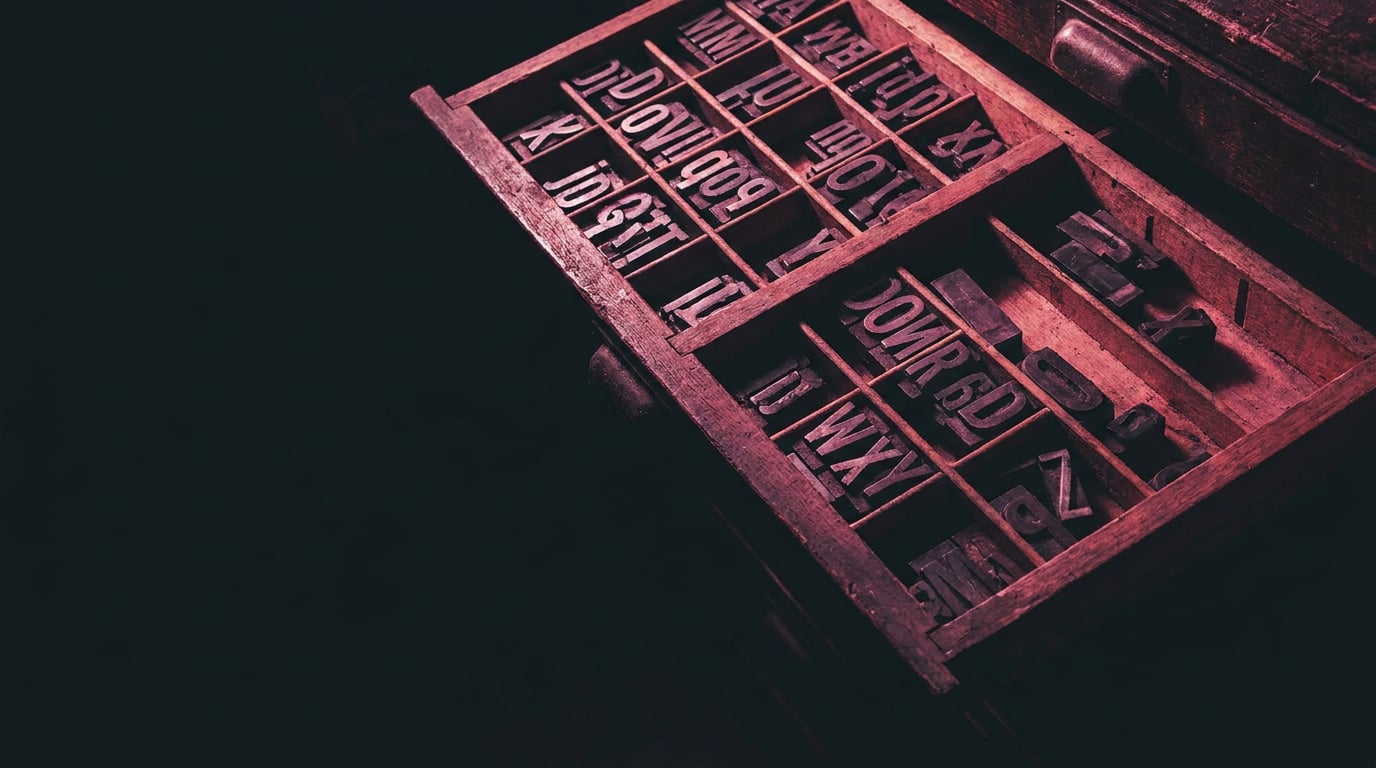
Ideogram v3 sets a new bar for AI-generated typography. Here's what graphic designers can actually use it for, and where it still needs your hand.
What Ideogram v3 Gets Right That Earlier Models Got Wrong

For most of the short history of AI image generation, asking a model to render legible type was a reliable way to get nonsense. Not stylistically wrong text. Structurally broken text: letters that didn't exist in any alphabet, baselines that wandered across the canvas, words that changed spelling mid-glyph, and spacing that looked like someone had shaken the letters in a bag and scattered them.
Midjourney, early Stable Diffusion variants, and DALL·E all shared this problem to varying degrees. The models understood that text should look like text without understanding what specific text actually was. The result was convincing-looking garbage: the right aesthetic register, the wrong characters. For graphic designers, this made AI image generation useful for everything except the thing that sits at the centre of most briefs.
Ideogram was built specifically around that failure. Version 3 is the current workhorse, and third-party evaluations cite text accuracy of around 95% for Ideogram versus roughly 40% for alternatives like Midjourney. Those figures come from vendor-aligned internal evaluations rather than independent benchmarking, so treat them as directional rather than definitive. But spend an afternoon running equivalent wordmark prompts through both, and the gap is real and visible.
What v3 does differently is maintain glyph fidelity under pressure: mixed-weight type within a single composition, multi-line layouts with genuine alignment, and stylistic range that covers clean geometric sans, editorial slab serifs, handwritten scripts, and decorative 3D letterforms. It handles the combination of a headline, subline, and small supporting copy in a single render without the subline turning to visual noise.
Where v3 still slips is instructive. Very tight condensed display faces can produce slightly merged verticals. Complex ligatures, particularly in highly connected scripts, sometimes break at the join or leave uneven counter shapes. Long runs of a calligraphic style with many connecting strokes are more likely to accumulate errors than shorter phrases. None of this is a documented Ideogram failure list. It is consistent with how text-to-image models behave at their edge cases, and worth testing before committing to a direction that depends on any of those specific treatments.
The practical implication is clear: Ideogram v3 is a credible first-draft tool for type-heavy graphic design concepts. It is not a type foundry, and it is not a vector workflow. The route to a production-ready logo still runs through Illustrator or Figma. What v3 does is compress the time between blank canvas and a shortlist of viable directions.
Ideogram v3 closes the gap on the single most persistent failure of AI image generation for graphic designers. Treat it as a concept sprint engine, not a production finisher.
Logos and Wordmarks: Prompting for Results You Can Actually Refine

A vague logo prompt produces a vague logo. Ideogram v3 is more responsive to typographic direction than any other current image model, but it still needs the brief to be specific. The most reliable approach is to treat the prompt like a design brief rather than a wish: name the style category, name the weight, name the mood, and quote the exact text.
For a wordmark, that looks something like this: "Wordmark for 'Helio Coffee' in a warm, geometric sans-serif with medium weight. Clean, modern, minimal. Off-white letterforms on a dark espresso brown background. No iconography." Compare that to "logo for a coffee shop" and the output quality difference is not subtle.
The distinction between prompting for a wordmark and prompting for a logomark with accompanying text matters. Trying to get both in a single prompt often produces a composition where the mark and the text compete for visual weight, or where v3 invents an icon that doesn't cohere with the typographic treatment. Separating the two prompts and then compositing in your vector tool almost always produces more usable material.
On colour: generating in monochrome first is a consistent practical tip from designers working with v3. A black-on-white wordmark render gives you cleaner paths when you trace it, clearer contrast for evaluating letterform quality, and a neutral foundation that doesn't prejudge the client's palette. Once you have a shortlist of strong black-and-white directions, you can generate coloured variants or simply apply colour in Illustrator.
The vendor-recommended prompting patterns align with this: quote exact text, specify typographic direction with concrete descriptors rather than abstract qualities, and provide mood and context that a human designer would put in a brief. "Minimalist tech startup wordmark" gives v3 a cleaner target than "professional and modern logo."
Generate wordmarks in monochrome first. Cleaner paths, better letterform evaluation, and no colour assumptions baked in before the client has approved a direction.
The outputs from v3 are raster images. A designer's practical path from Ideogram output to client deliverable is: generate a batch of directions, identify the strongest concept, re-set or trace in Illustrator, and use the Ideogram output strictly as the art-direction reference. The model has done the creative heavy lifting. The vector tool handles the precision geometry.
Lockups and Hierarchy: Getting v3 to Respect a Layout
A lockup is a fixed spatial relationship between elements: headline, subline, mark, supporting text. In print and brand design, lockups are precise, repeatable, and legally defined in brand guidelines. In an Ideogram prompt, they are a description. The gap between those two things is where most frustrations with AI layout generation live.
V3 handles multi-line compositions better than any previous generation of diffusion models. It understands that a headline should read larger than a subline, that a tagline sits below a brand name, and that a badge composition has a particular internal logic. The way to communicate a lockup clearly in a prompt is to describe the hierarchy explicitly: state which text is primary, which is secondary, and what the structural relationship is. "Large centred headline reading 'MESA FESTIVAL 2025', smaller subline reading 'Three days. One desert.' below, minimal geometric badge frame" gives v3 enough to work with.
Comparing v3 output to a standard diffusion model on an event branding lockup is where the improvement is most visible. A standard diffusion model will often render something that looks like a poster, with the right energy and colour, but with text that breaks across lines arbitrarily, invents words, or places the subline at the same visual weight as the headline. V3 preserves the intended hierarchy more reliably. The headline reads as the headline. The subline reads as the subline.
The firm limit is path-following type. If a brief calls for text that curves around a circular badge element, follows a wave, or runs along a diagonal shape, v3 produces raster output that approximates the effect at best and distorts severely at worst. This is not a failure specific to Ideogram. No current text-to-image model handles path type reliably. Flag it early, and plan for that element to be executed manually in your vector tool.
For designers using Stensyl, a useful workflow is to bring v3-generated lockup concepts into the Graphics studio for further compositional work, or to use Boards to collect and organise the strongest outputs before presenting a direction to a client. Boards handles both visual references and generated assets in one place, which keeps the concept sprint contained rather than spread across download folders and screenshots.
Describe your lockup hierarchy explicitly in the prompt. V3 responds to structure when you give it structure. Vague prompts produce vague layouts regardless of the model's capability.
Lettering and Display Type: Where v3 Earns Its Keep

There is a useful distinction between lettering and type that shapes how you prompt and what you expect back. Type is systematic: a set design, consistent metrics, repeatable spacing. Lettering is drawn: each character shaped by hand, influenced by context, expressive rather than systematic. Ideogram v3 performs most consistently with lettering. It excels at output that is meant to look crafted rather than set.
This makes it particularly strong for packaging concepts where the product name is the centrepiece, display headlines for editorial mockups, and social creative that needs the energy of a brush-script or chalk treatment without the budget for a custom lettering commission. A craft beer label with a hand-lettered product name, a vintage-style film festival poster with decorative hand-drawn letterforms, a chalk-board-style promotional graphic for a restaurant. These are the briefs where v3 earns its keep.
A worked example: prompting for a craft beer can label for a product called "Flintlock Pale Ale" using a rough, hand-lettered treatment with a woodcut aesthetic. The prompt names the text exactly, specifies the lettering style (hand-lettered, rough edges, woodcut influence), describes the colour palette (cream, rust, forest green), and adds context (craft brewery, heritage feel). Across a batch of four to six variations, v3 consistently spells the product name correctly, maintains a readable weight, and produces glyph consistency that would take a junior designer hours to sketch by hand.
The honest caveat on batch quality: within a batch, some characters will be stronger than others. A round-tripping process works well here: generate a first batch, identify the strongest letterform treatments, refine the prompt based on what worked, generate a second batch. Rather than iterating one image at a time, run multiple variations in parallel. In Stensyl's Image generation surface, this is straightforward: set your prompt, generate a batch, and compare the results on screen before committing further credits to a direction that isn't landing.
When is a lettering output good enough to trace directly in Illustrator? When the glyph shapes are clean, the connections hold, and the overall weight is consistent across the word. When it needs a professional hand-letterer to finish the job is when the client needs a scalable, ownership-clear, legally defensible custom typeface. Ideogram generates a reference and a direction. It does not generate a typeface.
Building a Practical Workflow Around Ideogram v3
The workflow that emerges from everything above has three stages, and none of them involve spending an afternoon generating hundreds of images and hoping.
Stage one: concept sprint. Define the brief. Generate batches of directions with well-structured prompts. For a logo or wordmark project, this might be three to five distinct style directions, each with four to six variants. Use V3 Turbo tier for this phase: faster, cheaper per image, appropriate for exploration. You are looking for a shortlist of three to five concepts that are worth refining, not a production-ready file.
Stage two: curation in Stensyl Boards. Bring your strongest outputs into Boards alongside any reference imagery you have collected. Boards handles both reference images and generated assets on one canvas, which means your client-facing direction document can contain the Ideogram concepts, the visual references that inspired them, and your annotations, all in one place rather than scattered across Figma artboards, Google Drive folders, and email attachments.
Stage three: refinement in your vector tool. Take the chosen direction into Illustrator, Figma, or whatever vector environment you work in. Use the Ideogram output as the art-direction reference. Re-set or trace the type, tighten the geometry, and build the file properly for production. The model has compressed the concepting phase. The vector work is still yours to do.
Before you spend credits on a batch that doesn't land, Ray, Stensyl's AI assistant, is a useful stop. Ray runs on full Claude capability and can help you pressure-test a prompt before it goes to generation: checking whether the style description is specific enough, flagging where the prompt might produce ambiguous results, and suggesting adjustments based on what v3 responds well to. Treating Ray as a creative director who has seen a lot of prompts is more useful than treating it as an autocomplete tool.
| V3 Tier | Cost per Image | Best For |
|---|---|---|
| V3 Turbo | $0.03 | Rapid concept exploration, style direction testing |
| V3 Balanced | $0.06 | Everyday production work, client-facing shortlists |
| V3 Quality | $0.09 | Final mockup renders, presentation assets, print references |
These tier prices reflect aggregator pricing via WaveSpeedAI and give a useful sense of the cost structure. Batch-generating logo directions across four or five style prompts is genuinely affordable. The discipline is knowing when to stop generating and start refining. More credits spent on a fifth batch of variations is often less valuable than the time spent making the best concept from batch two work in Illustrator.
One last point on model selection: Ideogram v3 is the right model to reach for when the brief is type-heavy. Logos, wordmarks, display lettering, poster hierarchies, packaging concepts where the name is the hero. When the brief is typographically lighter, where the image carries the work and text is incidental or absent, other models in Stensyl's image generation lineup will serve you better. Knowing which model to reach for, and why, is part of what makes a multi-model platform like Stensyl more useful than picking one tool and defaulting to it for everything.
Ideogram v3 doesn't replace the graphic designer's process. It compresses the most time-consuming part of it: getting from a blank canvas to a set of credible, type-legible directions that are worth refining. The vector work, the client relationship, and the typographic judgement are still yours.
Keep reading.


Try Stensyl for yourself
Image, video, 3D, chat, and document drafting. Every AI model, one studio. Plans from $11/month.