Flux 2 Pro for Interior Design: Materials, Lighting, and Room Renders.
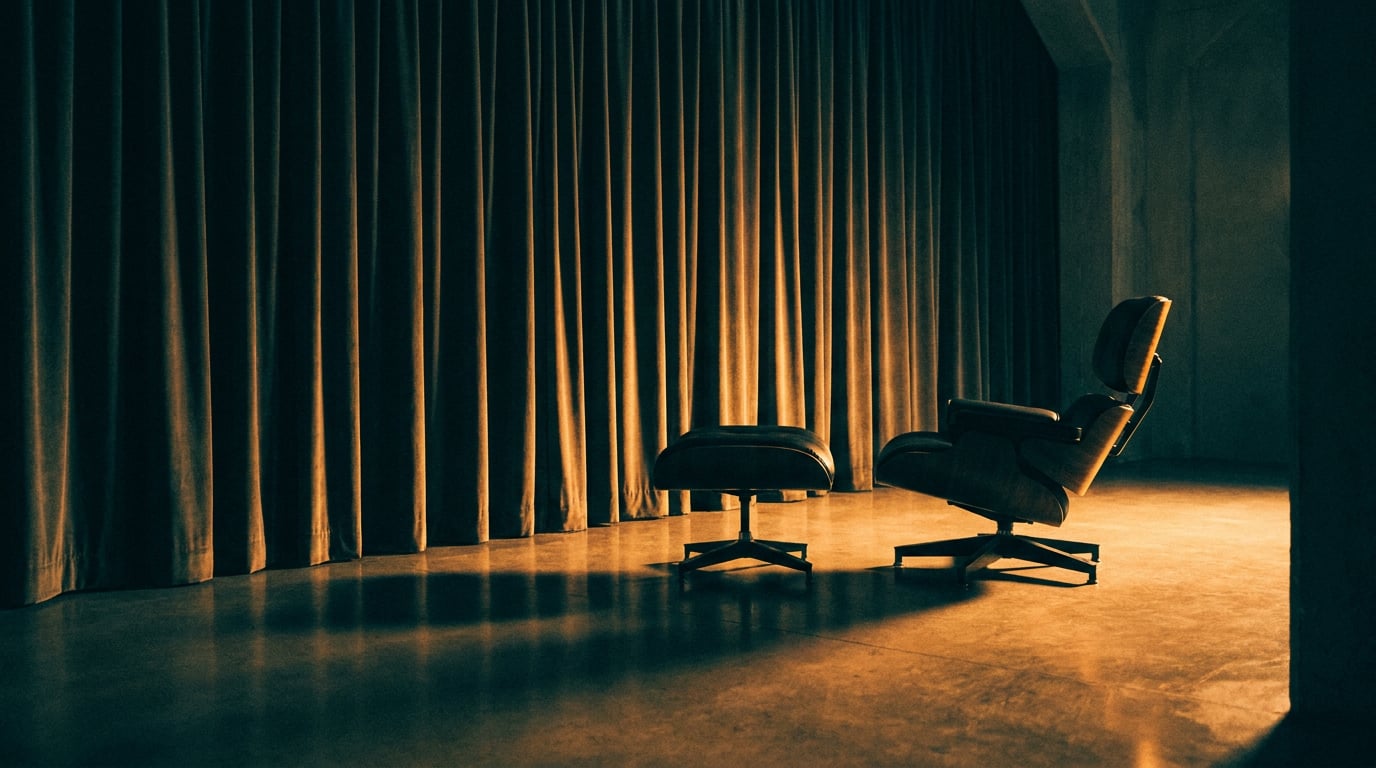
Flux 2 Pro produces photorealistic room renders with accurate materials and lighting. Here's how interior designers can use it effectively.
What Flux 2 Pro Does Well (and Where It Falls Short)

Flux 2 Pro is Black Forest Labs' 32-billion-parameter flagship image model, and for interior design work it occupies a specific and useful position: photorealistic concept visualisation and client-facing imagery. It is not a CAD replacement. Understanding exactly what it does well makes it considerably more useful.
The model's headline capabilities for interior workflows are spatial lighting coherence, compositional accuracy, and material surface detail. Where lighter models flatten a brushed linen sofa into a uniform colour fill, Flux 2 Pro renders fabric weave, light-catching pile direction, and subtle creasing at the cushion fold. Stone surfaces show distinct veining patterns and edge chamfers rather than a generic grey gradient. Metal finishes differentiate clearly between brushed, polished, and patinated states. These distinctions matter enormously when a client is evaluating material direction rather than just spatial layout.
Generation is also fast for a model of this scale. Published benchmarks from Atlas Cloud show approximately three seconds per 1024×1024 image via API, which is quick enough to run exploratory variants within a single working session rather than queuing overnight.
Where It Struggles
The limitations are consistent and worth knowing before you build a workflow around them. Complex multi-room perspectives are unreliable: open-plan compositions with multiple connected spaces can produce merged or spatially ambiguous results. The model follows compositional intent but cannot guarantee millimetre-accurate furniture placement or true-to-spec dimensions, so it is unsuitable for technical documentation or FF&E schedules. Matching highly specific proprietary finishes, a particular upholstery collection or a named stone slab product, typically requires iterative prompting and often reference images rather than text description alone.
The industry consensus from Black Forest Labs and platforms such as Atlas Cloud, Fenestra, and Visualizee is clear: Flux 2 Pro is a creative and visualisation tool for concept work, mood studies, material explorations, and presentation imagery. It sits alongside technical documentation, it does not replace it.
Flux 2 Pro is available on the Generate surface on every Stensyl plan, including Free. You do not need a paid subscription to run your first room render.
Writing Prompts That Produce Accurate Materials

Material accuracy in Flux 2 Pro outputs is almost entirely a function of prompt precision. The model has a strong material encoder that responds to specific surface language, and the gap between a vague prompt and a precise one is visible in the render.
The Anatomy of a Strong Materials Prompt
A well-built material description covers four elements in sequence:
- Substrate: what the material fundamentally is ("Calacatta marble", "white oak", "raw linen", "brushed aluminium")
- Finish and sheen: how light interacts with the surface ("honed, low sheen", "high-gloss lacquer", "matte", "patinated")
- Scale and grain: the visible pattern or texture density ("large-format slabs", "tight herringbone", "coarse woven weave", "fine brushing direction")
- Context: what the material is doing in the scene ("kitchen island surface", "wall-height cabinetry", "upholstered dining chair seat")
Compare these two prompts for the same surface. The first: "nice stone countertop". The second: "honed Calacatta marble, low sheen, large-format slabs with subtle grey veining, kitchen island, catching diffuse window light from the left". The first produces a pale generic surface. The second produces a recognisably real material with spatial presence.
Vocabulary That Lands
Specific tactile descriptors consistently outperform broad ones. Terms that Flux 2 Pro responds to clearly include: brushed, honed, patinated, matte, translucent, tight weave, grain direction, raw, chamfered, ribbed, fluted. Vague terms like "natural", "organic", or "earthy" give the model too much latitude and tend to produce generic defaults.
Atlas Cloud's prompt guides make this explicit: "brushed aluminium" outperforms "metal", and "raw linen" outperforms "fabric". The adjective before the noun is doing most of the work.
Layering Materials Across a Scene
For multi-surface interiors, describe each material by the object it belongs to rather than listing materials in a block. A prompt structured as "oak herringbone floor, honed Calacatta marble island, brushed brass hardware, matte lacquer cabinetry" keeps each material instruction attached to its surface. This prevents the model from averaging materials across objects or defaulting to a uniform palette.
If you are specifying an unfamiliar substrate, whether that is a particular terrazzo aggregate mix, a technical textile finish, or a named stone family, Stensyl's Research surface is a practical first stop. It uses Perplexity-backed search to pull accurate material terminology before you write the prompt. Getting the correct industry name for a finish before you prompt avoids guessing at vocabulary and then iterating to find what the model recognises.
Precise adjectives beat vague mood words every time. "Brushed aluminium, fine grain direction, low reflectance" is a material instruction. "Sleek metal" is a guess.
Controlling Lighting: Natural, Artificial, and Mixed
Flux 2 Pro's spatial lighting logic is one of its strongest features for interior work. The model understands light direction, quality, and colour temperature when these are named explicitly in the prompt. Leaving lighting unspecified typically results in a generically bright, flat interior that reads as a stock image rather than a considered space.
Specifying Natural Light
Light source direction and quality are the two variables with the most visible impact. "North-facing diffuse daylight through floor-to-ceiling glazing" produces a soft, shadow-free scene with cool-neutral colour temperature. "East-facing morning light, low angle, casting long shadows across the floor" produces something entirely different: directional, warm, with strong shadow geometry. Both are interiors. The mood is opposite.
Time-of-day descriptors shift colour temperature, contrast, and shadow length across a scene. Golden hour produces warm amber-toned light with long shadows and soft gradients across surfaces. Overcast midday produces flat, diffuse light with minimal shadow definition, useful for showing material colour accurately without distraction. Bright midday sun introduces hard shadows and high contrast, which can read as dramatic in some schemes and harsh in others.
Artificial and Mixed Lighting
The model defaults to generic ceiling glow unless you name fixtures and their intended effect explicitly. Describing "linear recessed downlights creating pools of light on the island surface" produces localised lighting geometry. "Warm glass pendants above the dining table with a soft amber spill" produces pendant-style light distribution rather than uniform overhead brightness. "LED under-cabinet strips washing the splashback" places a specific light band where you intend it.
Mixed lighting scenarios require a clear description of both sources and their relative intensities. A prompt for an evening kitchen scene might read: "warm recessed downlights above the island, soft amber pendant spill over the dining table, cool blue twilight from the glazed rear wall, low ambient fill". This gives the model enough information to separate the light sources rather than collapsing them into a single tone.
Iterating on Lighting Efficiently
The most effective iteration method is to keep all material descriptors fixed and change only the lighting variables between prompts. This isolates what the model is responding to and lets you build a set of lighting options for a single scheme: morning, overcast, evening, artificial-only. Clients can then choose a lighting scenario rather than a complete redraw. It is also more credit-efficient than regenerating complete prompts from scratch.
Name the light source, its direction, its quality, and its colour temperature. A fully specified lighting prompt is the single biggest lever for moving a render from generic to convincing.
Building a Room Render from a Brief

Translating a client brief into a Flux 2 Pro prompt is a structured process, not a creative leap. The model rewards ordered, specific input. A loose paragraph produces a looser render; a layered prompt with clear hierarchies produces a usable concept visual.
Prompt Structure Walkthrough
Architecture-focused Flux 2 tutorials consistently recommend the same ordering for interior prompts. Work through these elements in sequence:
- Room type and camera framing: "Wide-angle view of an open-plan kitchen and dining space" establishes scope and lens character immediately.
- Spatial orientation: "Viewed from the entrance, facing south toward a full-height glazed wall" gives the model a spatial anchor.
- Materials list: Floor, walls, major joinery, and hero surfaces, each with substrate, finish, and scale as described above.
- Lighting condition: Time of day, light source, direction, and quality.
- Atmosphere and mood: "Calm, pared-back, minimal" or "warm and layered, lived-in feel" steers the model's compositional choices for accessories and depth.
- Style reference: A named aesthetic ("Japandi", "Brutalist loft", "Georgian townhouse") or a photographic style ("editorial interiors photography, similar to Côté Maison") anchors the visual register.
Using Moodboards Before You Prompt
Assembling visual references in Stensyl's Moodboards surface before writing the prompt pays dividends in prompt precision. When colour and material decisions are settled visually, not guessed at in text, the prompt becomes a description of something you have already seen rather than an abstract specification. Flux 2 Pro supports multiple reference images in a generation, which can be used for style transfer, palette anchoring, and compositional referencing.
Generating Variants and Editing
The Generate surface supports producing multiple variations from a single prompt. Running three to four variants on your strongest prompt version gives you genuine options to present rather than a single output to either accept or discard. Select the best-performing variant, then carry it into the Editing surface for frame-level refinement. This is where you address a distracting object in frame, refine a material edge that the model resolved ambiguously, or adjust a highlight that landed in the wrong place. The Editing surface is a desktop tool and handles Flux 2 Pro outputs directly.
Presenting Renders to Clients
A strong render is only useful if it communicates clearly in the context where it is seen. For interior designers, that context is usually a client presentation, a proposals PDF, or increasingly a social asset. Each context has a different requirement for how outputs are packaged.
Organising Outputs in Projects
Stensyl's Projects surface supports team workspaces where renders, reference boards, and prompt libraries sit together in one place. For client presentations, grouping renders by room, by material option, or by lighting scenario inside a Project keeps the presentation logic clear. A client evaluating three kitchen material options wants to see those three options side by side, not buried in a chronological generation history.
Writing the Accompanying Narrative
The renders rarely speak entirely for themselves in a formal client presentation. A short written narrative framing each room, the material rationale, and the lighting intent helps clients orient themselves. The Write surface handles this well: select Claude Sonnet 4.6 from the model picker for polished, considered client-facing copy. It handles longer, structured documents with a controlled tone that reads naturally in proposal contexts.
Social Assets from the Same Workflow
If the project brief includes content or social deliverables alongside the design work, the Social surface takes the same room renders and formats them for platform-ready carousel posts. A before-brief-and-after-render story across five carousel frames is a credible social proof format for interior design studios. The renders you generated for the client presentation are already the right quality for this output; no separate shoot or redraw is required.
Setting Client Expectations
Photorealistic AI renders communicate atmosphere, material feel, and broad spatial relationships convincingly. They do not replace technical drawings, exact FF&E specifications, or compliance documentation. Clients should be told this clearly. Platforms and practitioners in the Flux 2 ecosystem are consistent on this point: these outputs are visualisation tools, and they function best when a client understands they are seeing design intent rather than a contractual record.
Credit Cost Awareness
Iterating through lighting and material variants consumes credits, and the cost accumulates when exploration is undisciplined. Planning prompt batches before generating keeps usage predictable on any plan tier. On a Lite plan (1,000 monthly credits), unplanned iteration can erode a significant portion of the monthly allowance on a single project. On Studio (12,500 credits), there is more headroom for exploratory generation. Regardless of plan, the habit of writing three to five prompt variants on paper before running a single generation is the most effective cost control available.
| Plan | Monthly Credits | Concurrent Generations | Best Fit |
|---|---|---|---|
| Free | 150 (one-time) | 1 | First project, proof of concept |
| Lite (£10/mo) | 1,000 | 1 | Solo designer, low-volume projects |
| Starter (£22/mo) | 2,500 | 2 | Regular client work, iterative prompting |
| Pro (£42/mo) | 6,000 | 3 | Multi-project studios, variant-heavy workflows |
| Studio (£84/mo) | 12,500 | 4 | Teams, high-volume client presentations |
A Repeatable Workflow for Interior Design Teams
The most valuable thing a design team can build around Flux 2 Pro is a repeatable process, not a set of lucky prompts. Consistency across projects, junior and senior designers, and different client briefs comes from structure, not improvisation.
The Five-Step Loop
- Brief intake: Establish room types, palette direction, client feel, and any named style references. Note constraints explicitly: "client dislikes warm whites", "budget precludes marble, reference with terrazzo instead".
- Moodboard assembly: Use the Moodboards surface to gather visual references that settle material and colour decisions before prompting begins. This is the step where taste is calibrated, not during generation.
- Prompt drafting: Write three to five structured prompt variants using the room type, orientation, materials, lighting, mood, and style reference order. Use the Research surface to verify unfamiliar material terminology.
- Generation and selection: Run variants in parallel using concurrent generation slots. On a Pro plan, three generations run simultaneously, which meaningfully compresses iteration time. Select the strongest output, carry it to the Editing surface for frame-level refinement if needed.
- Client delivery: Organise final outputs in Projects, draft the presentation narrative in Write, and format social assets in Social if required.
Team Collaboration in Projects
Stensyl's Projects surface supports shared team workspaces, which means a junior designer and a principal can work from the same prompt library and reference boards. Prompt templates for recurring room types, a kitchen scheme at three lighting conditions, a bedroom at two material options, become reusable assets rather than institutional knowledge locked in one person's browser history. A shared workspace also makes reviewing outputs faster: the principal can see what was generated, what was discarded, and why, without a separate handover conversation.
Using Ray for Unusual Requirements
Most interior projects fit neatly into a Flux 2 Pro workflow. Some do not. Highly reflective surfaces, such as a full-height mirror wall or a lacquered ceiling, can stress the model's spatial logic in ways that are hard to predict from a brief alone. Exterior-interior transition shots, glazed facades showing both inside and outside simultaneously, similarly push against the model's compositional defaults. For these cases, use Ray to sanity-check model selection before committing credits to a full generation run. Ray is Stensyl's creative-decision assistant, available at any time, and it can advise on whether Flux 2 Pro is the right tool for a specific generation task or whether a different model in the Generate surface is better suited.
Knowing When to Use a Different Model
Flux 2 Pro is the high-fidelity, client-ready tier in the Generate surface. It is not always the right starting point. When exploring massing, broad compositional options, or early spatial logic where material accuracy does not yet matter, a lighter, faster, less credit-intensive model in the Generate surface may serve the brief better. Fenestra's pattern of running quick studies in lighter models and switching to Flux 2 Pro once direction is confirmed is sound practice. The multi-model structure of Stensyl's Generate surface makes this model-mixing practical within a single workflow, without switching platforms or managing separate accounts.
The workflow that produces the best client presentations is not the one that generates the most images. It is the one that settles decisions before generating, runs structured variants efficiently, and curates outputs deliberately before anything reaches the client.
Flux 2 Pro earns its position in interior design workflows at the point where material and lighting specificity genuinely matter. Get the prompt structure right, build the team habit of pre-generation moodboarding and material research, and the gap between brief and client-ready visual narrows considerably. The model's ceiling is high. The bottleneck is almost always the prompt, not the platform.
Keep reading.

Try Stensyl for yourself
Image, video, 3D, chat, and document drafting. Every AI model, one studio. Plans from $11/month.